Button Properties
Click on a button to edit its properties, functions, and behavior.
|
Standard properties are shown in bold. Advanced properties are shown in italics. Displayed fields can be sorted in one of two ways by clicking the following icons: Initially only the basic fields are shown. To reveal all fields, click the |


Logical Address
| These settings are inherited from Device Properties > Device Logical Address and should not be changed unless required for specialized functions. |
General
| Property | Description |
|---|---|
Button number |
Internal system setting, not user-adjustable. |
Button |
Enabled/Disabled |
Enable when panel disabled |
If True, this button can still be used when the device is in panic mode. |
Name |
An optional name/description for the button (only shown in System Builder) |
Proxy channel index |
Internal system setting, not user-adjustable. |
Function
See Button Functions.
Indicator LED (All devices)
| Property | Description |
|---|---|
LED |
Enable/Disable LED function for the selected button. |
LED fade time (rounded to 10 ms) |
Defines fade time for LED. |
Active LED brightness |
LED brightness level when the button is in active state. |
Inactive LED brightness |
LED brightness level when button is in inactive state. |
The following properties are available only when the Function is set to Custom or No Function:
| Property | Description |
|---|---|
Application Type |
Defines if LED behavior follows room status or current preset/channel level. |
Follow panic logic |
Sets LED to active, inactive or ignore when panic mode is activated. |
Follow panel enable logic |
Defines LED behavior when keypad is enabled/disabled. |
Logical Area |
The area that affects the LED. |
Channel |
The channel that affects the LED. |
Join |
The join level that affects the LED. |
BLA |
The base link area (if any) that affects the LED. |
Off preset |
Defines the off preset number for the area. |
The following properties are shown for Application type: Follow room status:
| Property | Description |
|---|---|
Room status type |
Defines which room status affects the LED. |
Room status value |
Determines if the LED is active when the room status is Set (on) or Reset (off). |
The following properties are shown for Application Type: Follow preset and/or channel level:
| Property | Description |
|---|---|
Follow channel level logic |
Determines if LED is active when channel level is above or below/equal to the Channel level threshold. |
Channel level threshold (%) |
The channel level used by Follow channel level logic. |
Follow preset logic |
Determines if LED is active when the current preset is in/out of the Preset LED Range Min/Max range. |
Preset LED Range Min |
The preset range used by Follow preset logic. |
Preset LED Range Max |
Indicator LED (Revolution only)
The Revolution series includes additional custom color controls for its indicator LEDs.
| Property | Description |
|---|---|
Active LED Colour |
Enter a comma-separated R, G, B value, or click the 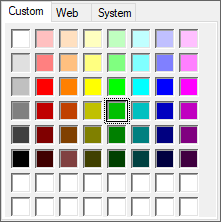
|
Inactive LED Colour |
